If you would like to enable Face ID or other biometrics on the SouthEast Bank mobile app, please watch the video below and read the instructions included for a step-by-step refresher.
Step 1: Open the SouthEast Bank mobile app. If you haven’t downloaded it yet, click here to get started.
Step 2: Tap “Face ID” located below the “Log In” button.
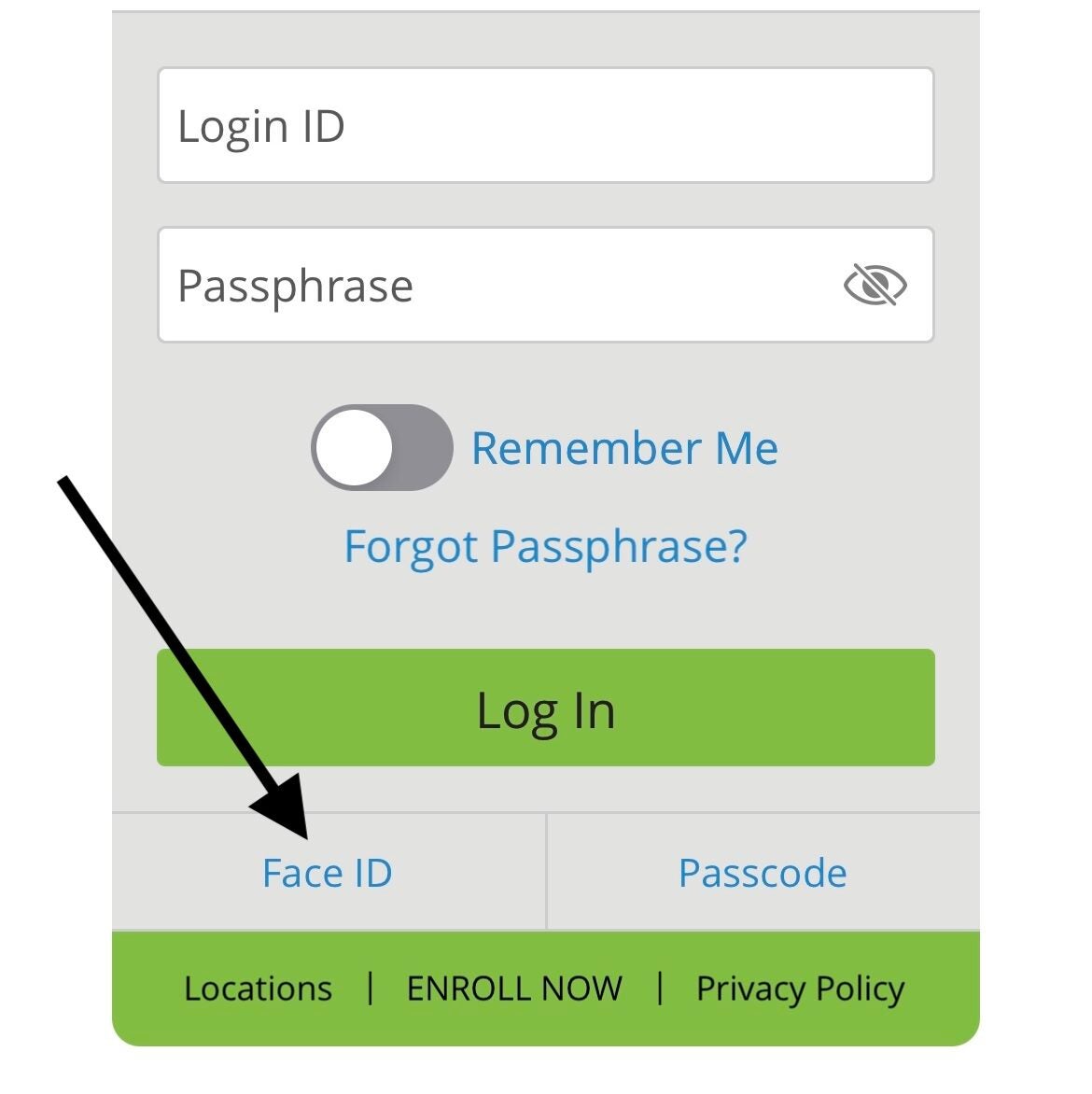
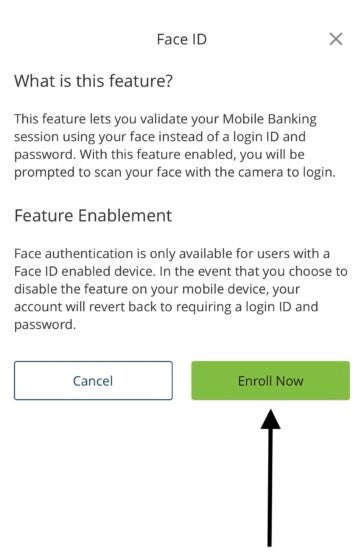
Step 3: Read the prompted text, and select “Enroll Now”.
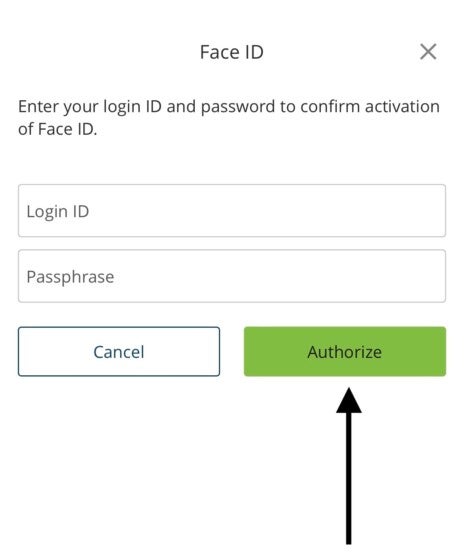
Step 4: Enter your login ID and passphrase to confirm activation of Face ID. Click “Authorize”.
You’re all set! Next time you log in to the mobile app, tap “Face ID” to utilize the feature if not prompted automatically.
If you have any issues, please contact our Customer Care Center at 1-844-732-2657.
For issues with your Login ID, Passphrase, or Face ID after set up, visit our Help Center.