Want to stop getting paper statements in the mail? Enroll in eStatements to view your account statements online or in the Southeast Bank app. It’s easy and eco-friendly!
Quick Links:
Enroll Using Online Banking (Desktop/Browser)
Enroll Using the Mobile App
Step 1: Open the SouthEast Bank mobile app. If you haven’t downloaded it yet, please click here to get started.
Step 2: Log in using your SouthEast Bank Online Banking username and password. Your login credentials are the same for the mobile app and Online Banking. If you haven’t enrolled in Online Banking yet, follow these steps to enroll before continuing.
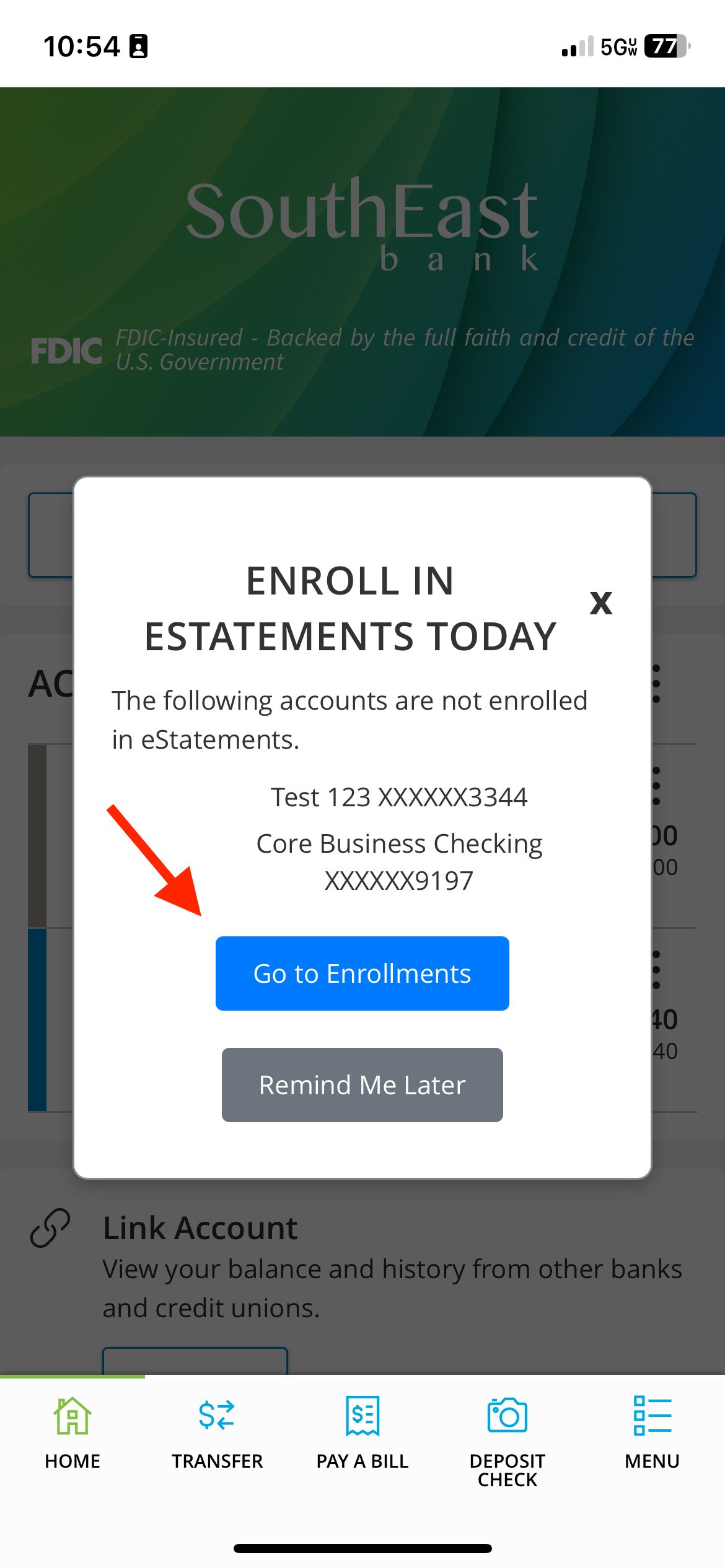
If you see a pop-up message about eStatements:
Step 3a: Tap Go to Enrollments and proceed to Step 6.
If you do not see a pop-up:
Step 3b: From the home screen, tap the menu (three-line icon in the bottom-right corner).
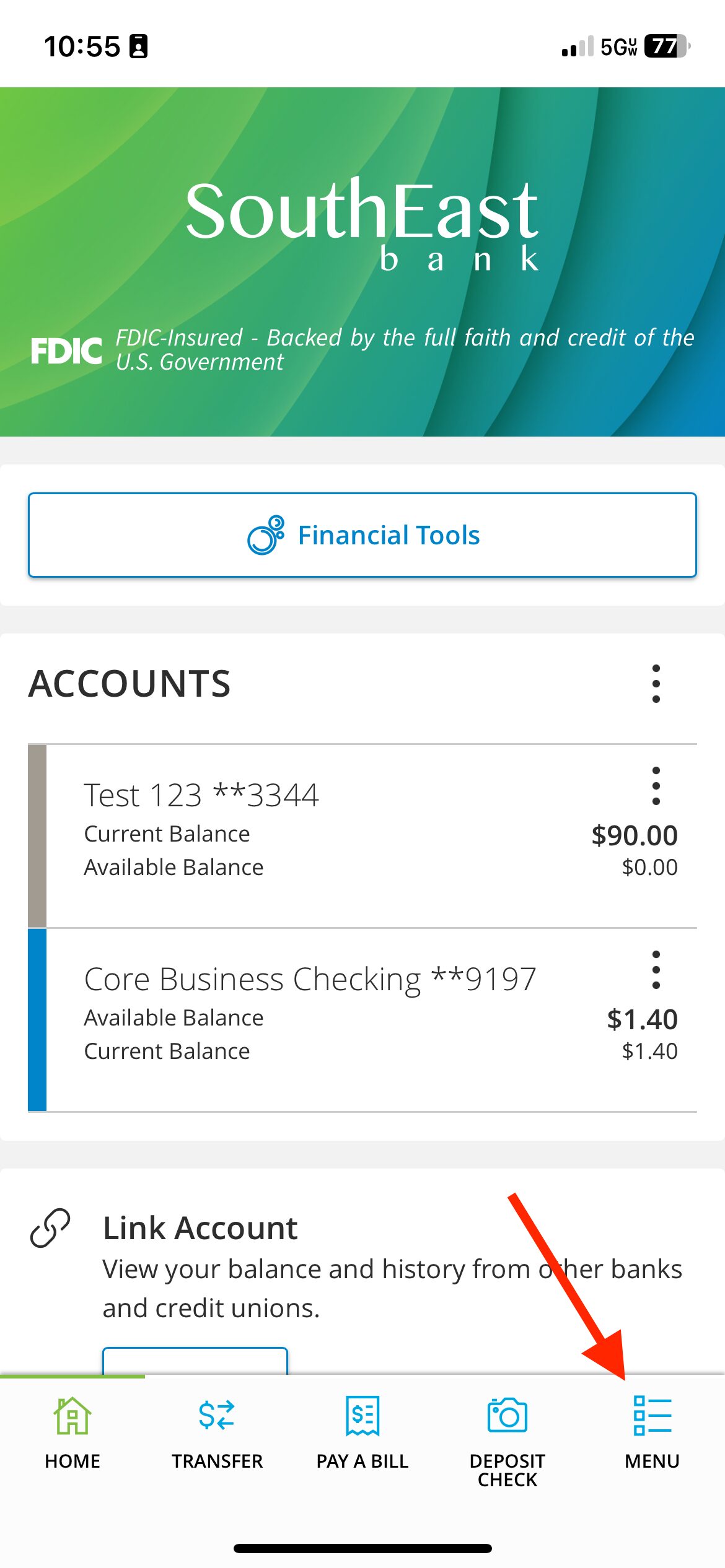
Step 4: Tap eStatements.
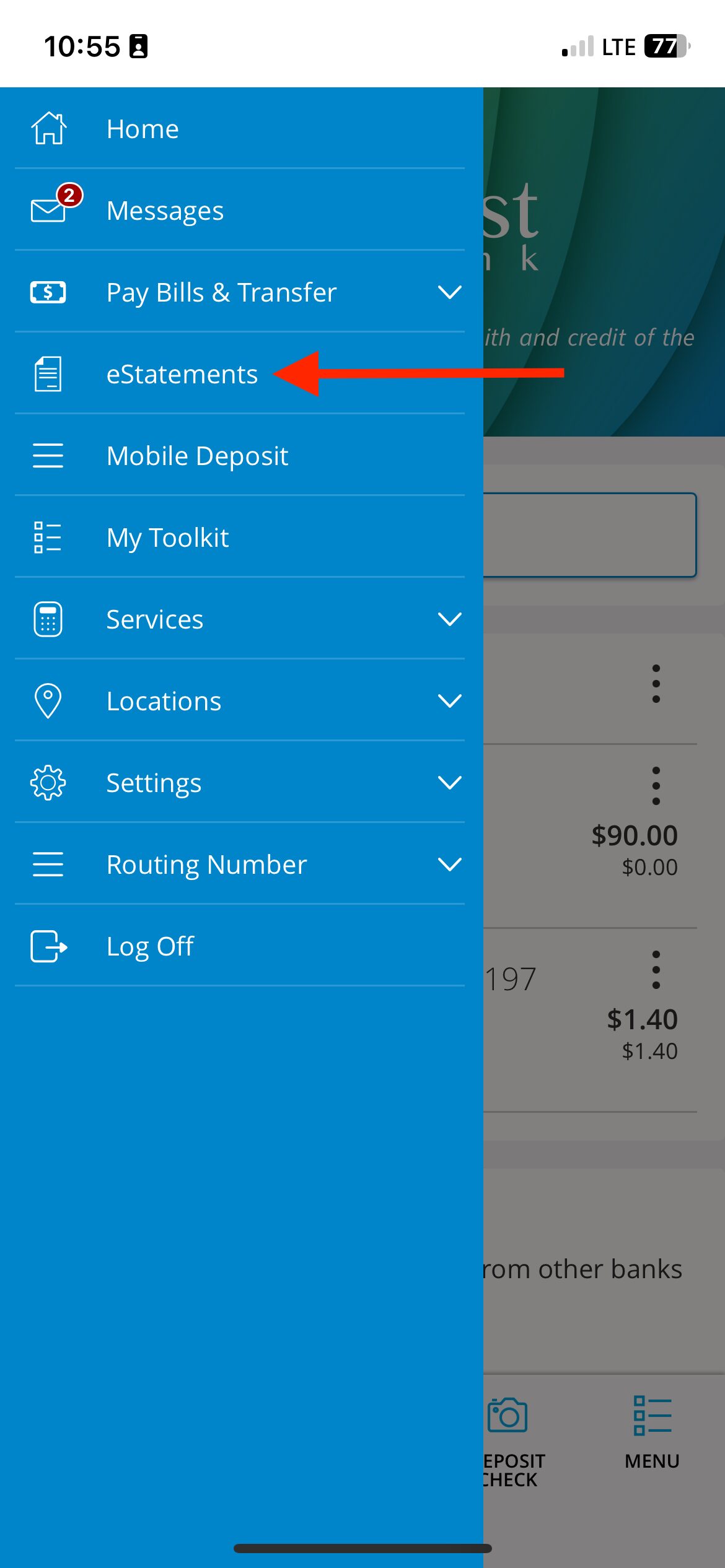
Step 5: Tap Statement Preferences.
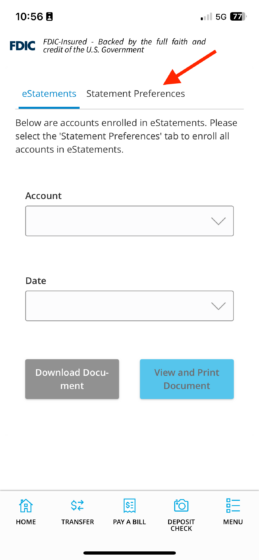
Step 6: Choose to either:
Step 6a: Tap Enroll all accounts in eStatements, or scroll and select only the accounts you want.
Step 7: Confirm the email address where you’d like to receive your eStatements.
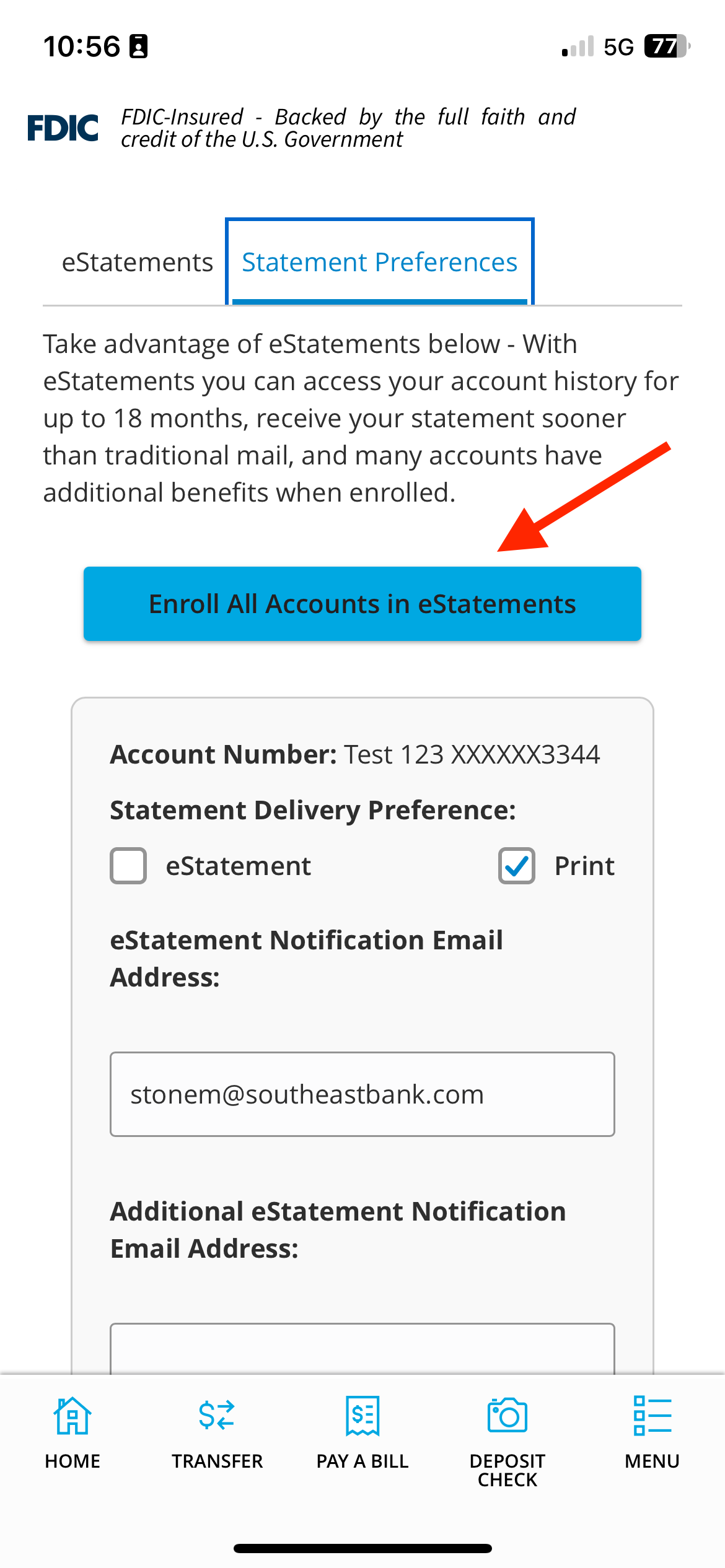
Step 8: Scroll to the bottom of the page.
Step 9: Tap the link that says “Click here for the link…” to download the eStatement Delivery Agreement.
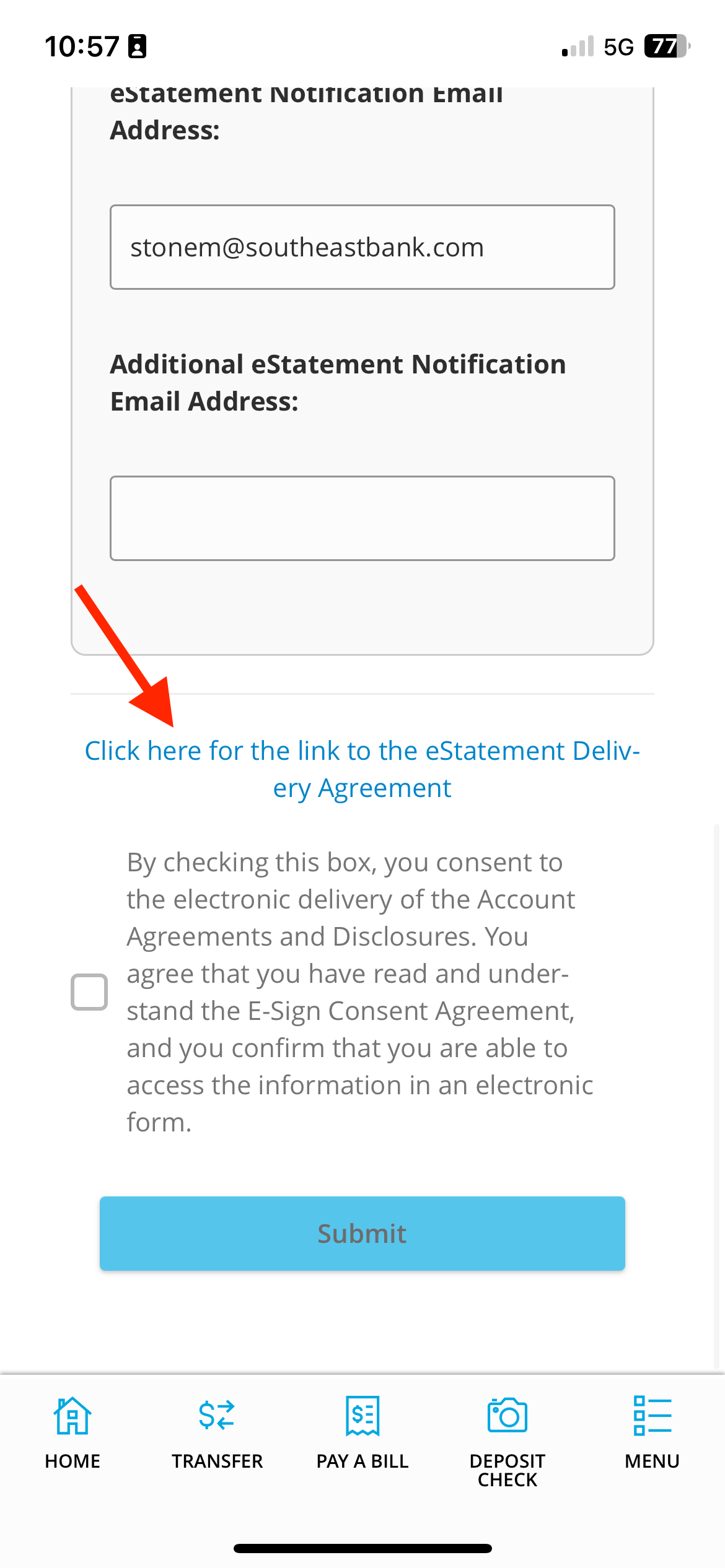
Step 10: After downloading the agreement, go back to the app.
Step 11: Tap the checkbox to opt in.
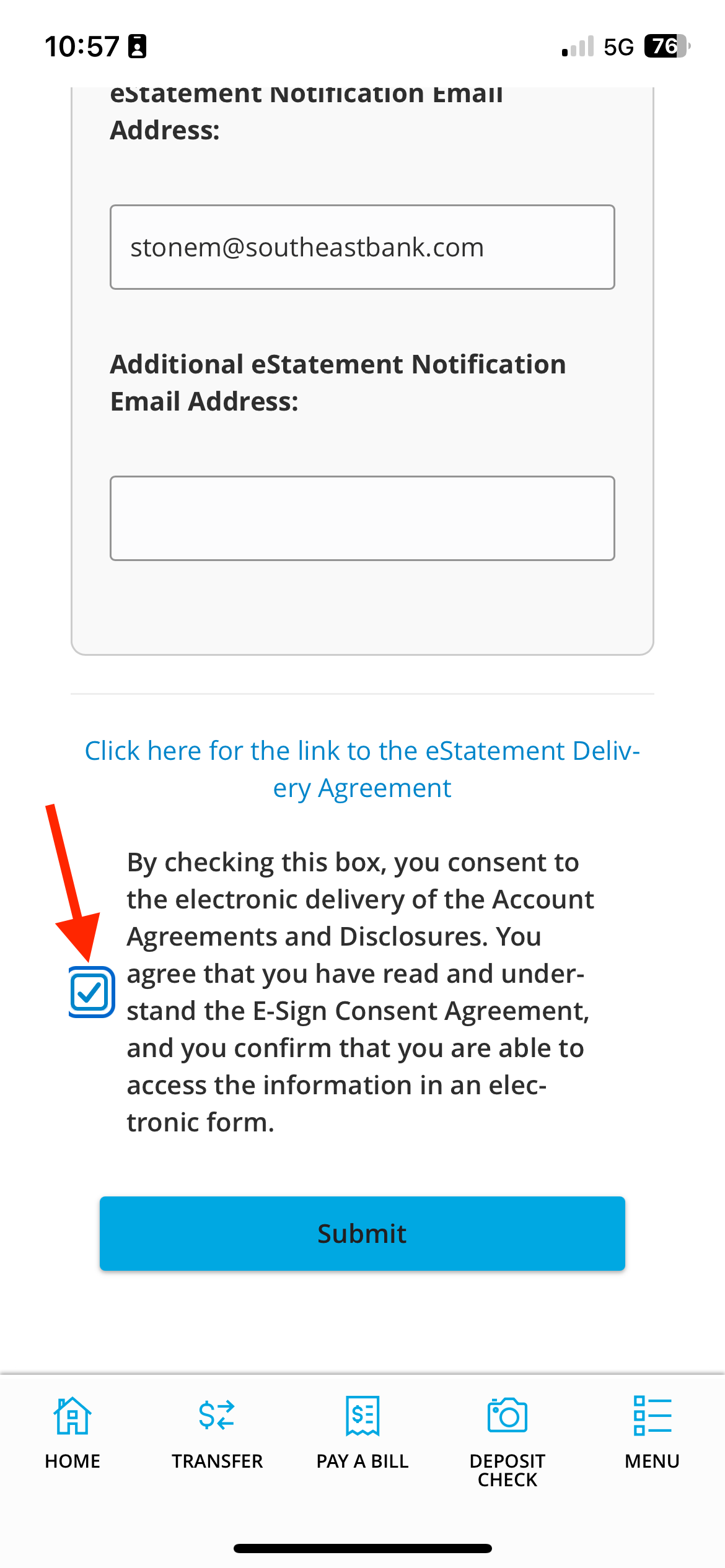
Step 12: Click”Submit.”
You’re all set! You’ll now get your statements through email, online banking, and mobile app
If you have any issues, please contact our Customer Care Center at 1-844-732-2657.
Enroll Using Online Banking (Desktop/Browser)
Step 1: Log into your Southeast Bank account online.
Step 2: Log in using your SouthEast Bank Online Banking username and password. If you haven’t enrolled in Online Banking yet, follow these steps to enroll before continuing.
Step 3: Click eStatements in the main menu.

Step 4: Click Statement Preferences.
Step 5: Click Enroll all accounts in eStatements, or scroll and select the accounts you want.

Step 6: Scroll to the bottom of the page.
Step 7: Click the blue line says “Click here for the link…” to download the eStatement Delivery Agreement.

Step 8: After downloading, return to your Online Banking tab.
Step 9: Click the checkbox to opt in.

Step 10: Click “Submit.”
You’re all set! You’ll now get your statements through your email, online banking, and mobile app instead of by mail.
If you have any issues, please contact our Customer Care Center at 1-844-732-2657.